Frequently Asked Questions
Everything you need to know about using IExtract.
Is IExtract free to use?
Yes! Iextract is completely free to use, and we offer a fresh, clean UI with no annoying ads. Our goal is to keep it simple and accessible for everyone.
How can I support IExtract?
If you find this tool helpful and want to support our ads-free mission, you can help us keep the servers running smoothly.
Support IExtract on Ko-fiHow do I copy someone's caption from Instagram?
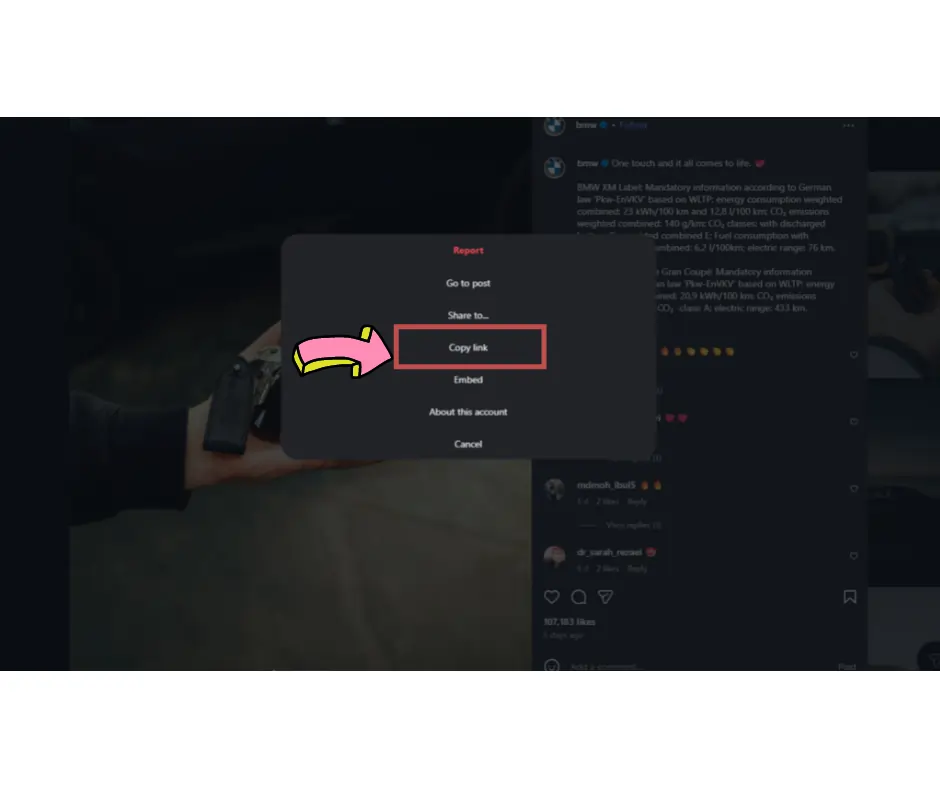
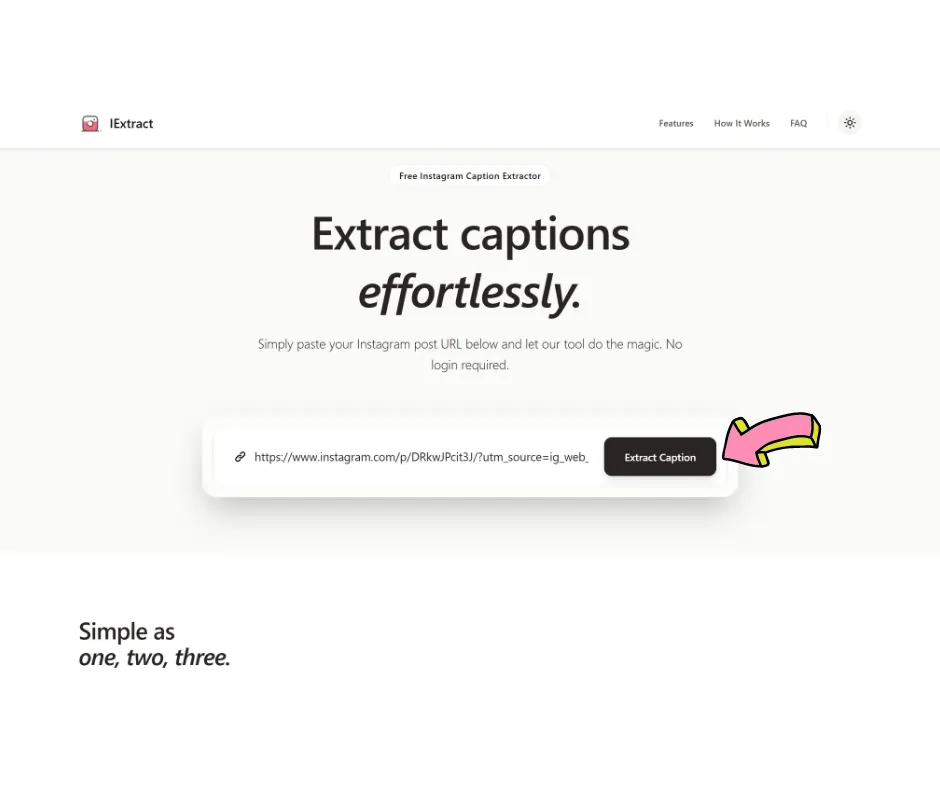
Simply copy the Instagram post URL, paste it into IExtract, and click extract. You'll get the complete caption text that you can copy and use. It's the fastest way to extract text from Instagram posts without manually selecting and copying.
Can I extract captions from private accounts?
No, our tool only works with public Instagram posts. You can't extract captions from private accounts due to privacy restrictions.
How does the Instagram caption extractor separate hashtags?
IExtract displays the complete caption as posted, including all hashtags. You'll receive the entire text exactly as it appears on Instagram, making it easy to copy the full caption or manually separate hashtags if needed.
Is it legal to copy Instagram captions?
While our tool lets you extract text from Instagram, you should always respect copyright and intellectual property. Use extracted captions ethically - for inspiration, research, or with permission. Don't copy and repost someone else's creative work as your own.
Can I download all Instagram photos and captions at once?
IExtract focuses on extracting captions from individual Instagram posts one at a time. For downloading multiple posts or photos, you would need to use Instagram's official data download feature through your account settings.
How do I copy text from an Instagram story?
Unfortunately, IExtract currently works only with regular Instagram posts and reels, not stories. Stories have a different structure and shorter lifespan, making caption extraction more challenging. We focus on permanent posts for the most reliable results.
Is IExtract secure?
Yes, absolutely. We do not store any data or track any links you enter. Everything happens in real-time without saving anything on our servers.
Can I use the extracted captions anywhere?
Absolutely! You can copy the extracted captions and use them anywhere you want - no formatting needed.
How do I extract text from Instagram posts on mobile?
IExtract works perfectly on mobile devices! Simply tap the share button on any Instagram post, copy the link, and paste it into our tool. The process is identical to desktop - quick, simple, and no app installation required.
Can I copy and paste Instagram captions to use as templates?
Yes, you can extract and use Instagram captions as inspiration for your own posts. However, remember to add your own unique voice and perspective. Using extracted captions as templates is fine, but always customize them to reflect your authentic brand or personal style.